A vCard QR Code Generator lets individuals and businesses share contact information instantly through a single QR code. Instead of making someone type out a name, phone number, email address, company, and website by hand, they scan the code and save the contact straight to their device.
vCard QR Codes are widely used by business professionals, sales teams, consultants, real estate agents, healthcare providers, freelancers, recruiters, event attendees, entrepreneurs, and corporate organizations.
As networking becomes increasingly digital, a vCard QR Code offers a faster, more professional, and more accurate way to exchange contact information — no more mistyped numbers or names lost in a stack of paper business cards.
What is a vCard QR Code?
A vCard QR Code is a QR code that contains contact information in the vCard format — a widely accepted digital contact standard supported by smartphones, email clients, and contact management systems.
When someone scans it, their contact details appear instantly and can be saved to the phone with a tap, with no manual typing involved.
A vCard QR Code typically carries:
- Full name
- Job title
- Company name
- Phone number
- Email address
- Website URL
- Business address
- Social media profiles
- Profile photo
How Does a vCard QR Code Work?
Getting from contact details to a saved phone contact takes just a few steps:
- Enter contact information into the vCard QR Code Generator.
- Generate the QR code.
- Print it or share it digitally.
- A user scans the code.
- Their contact details appear instantly on screen.
- They save the contact directly to their device.
Why vCard QR Codes Are Useful
Traditional networking usually means exchanging paper business cards, then typing that information into a phone later — if it happens at all. It’s slow, easy to forget, and prone to typos.
A vCard QR Code removes that gap entirely. The contact gets saved the moment it’s exchanged, while the conversation is still fresh, which improves networking efficiency and increases the odds of an actual follow-up.
Key Benefits of Using a vCard QR Code Generator
1. Instant Contact Saving
Users can save your full contact details to their phone within seconds of scanning — no note-taking or manual entry needed.
2. Eliminates Manual Data Entry
Names, numbers, email addresses, and websites transfer automatically, so nobody has to type them out by hand.
3. Reduces Contact Information Errors
Because the data comes directly from the QR code rather than someone’s memory or handwriting, the details that get saved are exactly right.
4. Professional Networking Experience
A digital, scan-to-save contact card creates a modern, tech-savvy first impression compared to a paper card that might get lost.
5. Supports Digital Business Cards
Share a complete contact profile — including photo, social links, and job title — without depending on printed cards alone.
6. Improves Lead Generation
When a prospect can save your details immediately, you stay in their phone and in their mind, increasing the chance of a real follow-up.
7. Environmentally Friendly
Cuts down on the paper, printing, and reprinting costs that come with traditional business cards.
Dynamic QR Code Feature for vCard QR Codes
What is a Dynamic QR Code?
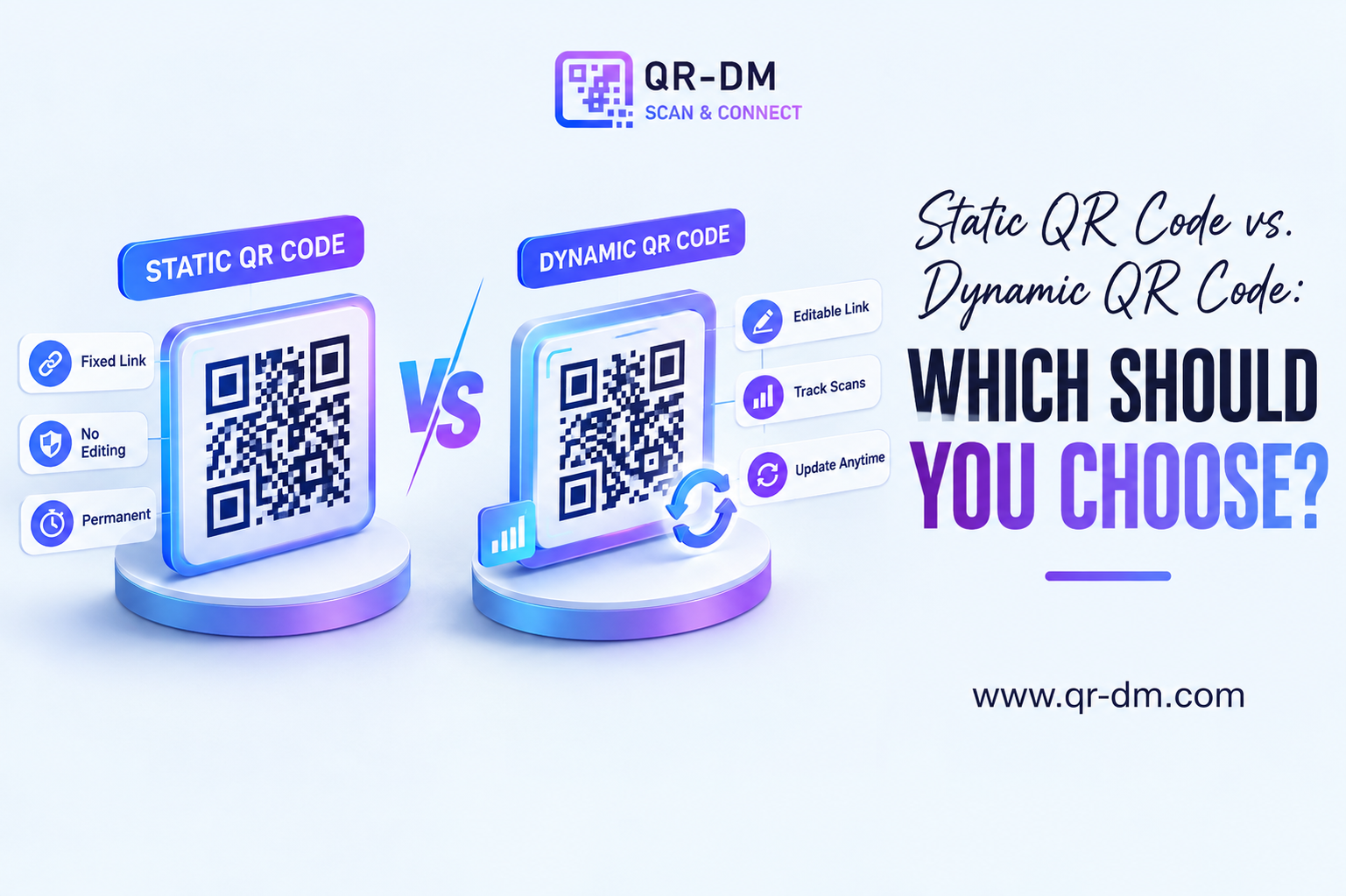
A dynamic QR code can be managed, updated, and tracked after it’s already been printed or shared, depending on the features the QR platform supports. For a vCard specifically, that means your printed QR code doesn’t go stale the moment your details change.
Dynamic QR Code features for vCard QR Codes may include:
- Scan analytics
- Campaign tracking
- Location insights
- Device analytics
- Editable contact information
- Centralized QR management from a dashboard
Why Dynamic QR Codes Are Useful
Contact information rarely stays the same forever. Phone numbers, email addresses, office locations, job titles, and websites all get updated as people and businesses grow. Dynamic QR functionality lets you update those details behind an already-printed QR code, instead of reprinting every business card or badge from scratch.
Dynamic QR Codes for All QR Types
Dynamic QR functionality isn’t unique to vCard QR Codes — it can be treated as a shared feature across QR categories including URL, WiFi, Phone, SMS, Email, WhatsApp, Business Card, Location, Text, Document, PDF, Event, App Link, App Download, Payment, and Multi-Link QR Codes.
vCard QR Code Use Cases
1. Business Networking
Share professional contact details instantly at meetings, mixers, and industry events.
2. Sales Teams
Let prospects save your contact information on the spot, right after a pitch or product demo.
3. Real Estate Agents
Include contact details on property signs, brochures, and advertisements so interested buyers can reach you instantly.
4. Consultants and Freelancers
Give clients instant access to your contact information without a follow-up email.
5. Healthcare Professionals
Let patients save clinic and practitioner contact details directly after a visit.
6. Recruiters and HR Teams
Share contact information quickly during hiring events and job fairs, without a table full of paper cards.
7. Corporate Employees
Make conference and industry-event networking faster and more memorable.
8. Event Attendees
Exchange contact details without carrying or handing out stacks of business cards.
9. Small Business Owners
Make it easier for customers to reach you and stay in touch after a purchase or consultation.
10. Startup Founders
Share contact details efficiently with investors, partners, and customers during fundraising and pitch meetings.
vCard QR Code vs Other QR Code Types
vCard QR Code vs Business Card QR Code
A Business Card QR Code often points to a broader digital business profile. A vCard QR Code is built specifically to save contact information directly to a device.
vCard QR Code vs Phone QR Code
A Phone QR Code initiates a phone call. A vCard QR Code shares complete contact information for later use, not just a one-time call.
vCard QR Code vs Email QR Code
An Email QR Code starts an email conversation. A vCard QR Code provides the full contact profile someone would need to reach out however they prefer.
vCard QR Code vs Multi-Link QR Code
A Multi-Link QR Code provides multiple destinations. A vCard QR Code stays focused on contact management and networking specifically.
Best Practices for Creating a vCard QR Code
1. Include Complete Contact Information
Provide accurate, current details — an outdated phone number or old job title undermines the whole point.
2. Add Your Website and Social Profiles
Give people multiple ways to find and connect with you or your business beyond just a phone number.
3. Use a Professional Profile Photo
A clear, professional photo improves recognition and helps your contact stand out in someone’s phone.
4. Use a Clear Call to Action
Tell people exactly what scanning will do:
- Scan to Save Contact
- Add Me to Your Contacts
- Save My Business Card
- Connect With Me Instantly
5. Test Before Publishing
Confirm the contact information saves correctly across different phones and operating systems before printing.
6. Use Dynamic QR Features
Dynamic QR functionality can simplify future contact updates and give you visibility into who’s scanning.
Where Can You Place a vCard QR Code?
- Business cards
- Email signatures
- Conference badges
- Trade show booths
- Brochures
- Sales presentations
- Company websites
- Social media profiles
- Product packaging
- Marketing materials
- Office reception areas
- Corporate documents
Industries That Can Use vCard QR Codes
- Sales and marketing
- Real estate
- Healthcare
- Technology
- Consulting
- Education
- Financial services
- Hospitality
- Recruitment
- Professional services
FAQs
What is a vCard QR Code?
A vCard QR Code stores contact information that users can save directly to their devices in a single scan.
What is a vCard QR Code Generator?
It’s a tool used to create QR codes that simplify contact sharing and professional networking.
Can users save contacts directly from a vCard QR Code?
Yes. Most smartphones can save contact information directly from a vCard QR Code without needing a separate app.
Can vCard QR Codes be dynamic?
Yes. Dynamic QR functionality may provide analytics, tracking, and editable contact management, depending on the platform.
Who should use vCard QR Codes?
Professionals, businesses, sales teams, recruiters, consultants, healthcare providers, and anyone who frequently shares contact information.
Conclusion
A vCard QR Code Generator is one of the most effective tools for modern networking and digital contact sharing.
By letting people save your contact information instantly, vCard QR Codes improve networking efficiency, cut down on manual entry errors, and create a more professional first impression.
Combined with Dynamic QR Code functionality, vCard QR Codes become a lasting solution for professionals and businesses who want smarter contact management and stronger networking results — one code that keeps working even as your details change.
Ready to create your own QR code?
Put these strategies into practice. Generate clean, high-resolution static or dynamic QR codes in seconds with full design customization, vector export, and scan analytics.
Zain
Technical Writer & QR Specialist