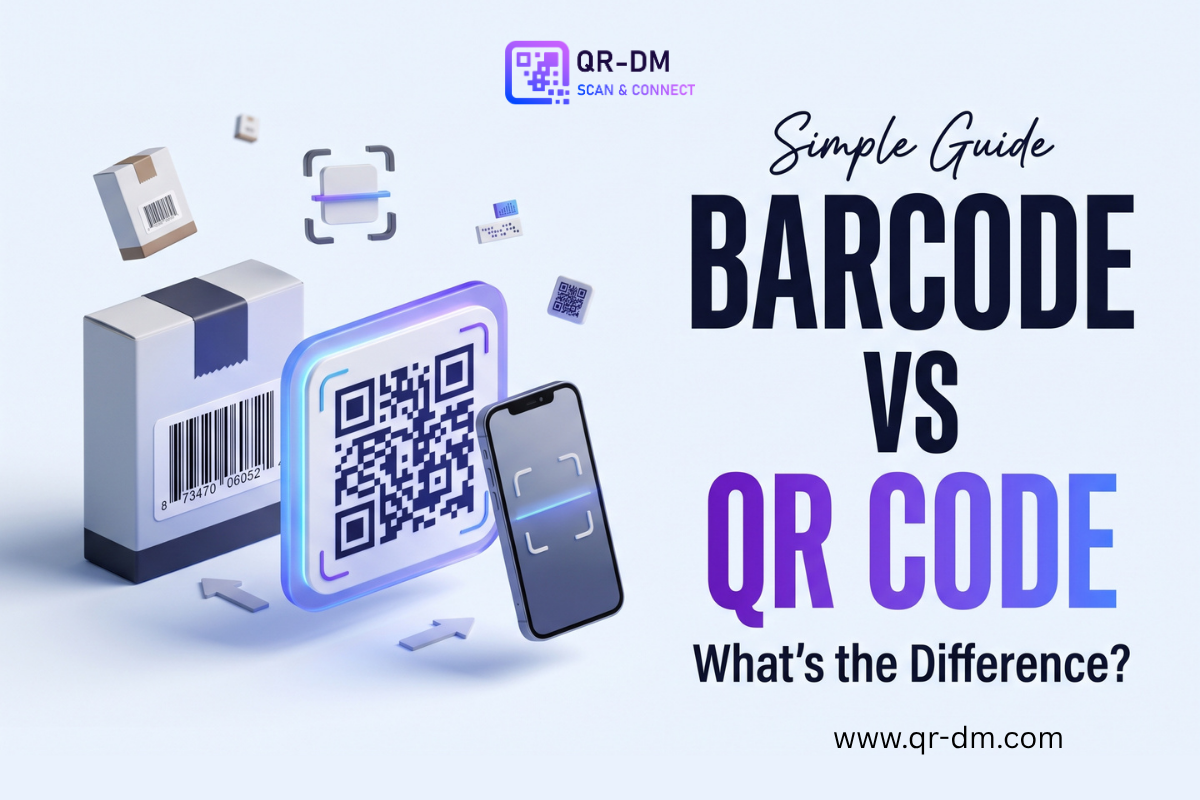
Barcodes and QR codes are both used to store information that machines can read. You have probably seen barcodes on product packages and QR codes on menus, posters, tickets, websites, and business cards. Although they may look similar at first, they work in different ways and are designed for different uses. Traditional barcodes usually store information in a simple line pattern, while QR codes can hold more data in a square shape. QR codes can also be scanned from different directions and can connect people directly to digital content. So, which one is better? The answer depends on what you want to share and how you want people to use it.
What Is a Barcode?
A barcode is a machine-readable pattern that stores information using lines, spaces, or other simple shapes.
The most common type is the 1D barcode, also called a one-dimensional barcode. It uses lines of different widths and spaces to represent information.
You often see these barcodes on:
- Grocery products
- Clothing tags
- Retail packages
- Warehouse items
- Shipping labels
- Library books
- Product price labels
When a barcode is scanned, the system reads the pattern and connects it to information stored in a database.
For example, when a cashier scans a product barcode, the system can identify the product and show its price.
What Is a QR Code?
A QR code, short for Quick Response code, is a type of two-dimensional code. Instead of storing information in one line, it uses a square pattern made of small black and white areas.
QR codes can store more types of information than many traditional 1D barcodes.
For example, a QR code can share:
- A website URL
- Wi-Fi details
- Phone numbers
- Text
- Email information
- Business card details
- A map location
- Event information
- Payment information
- Documents
- Multiple links
A person can scan a QR code with a smartphone and quickly access the information behind it.
With a QR code platform such as QR DM, users can create different QR code types for personal, academic, and business purposes.
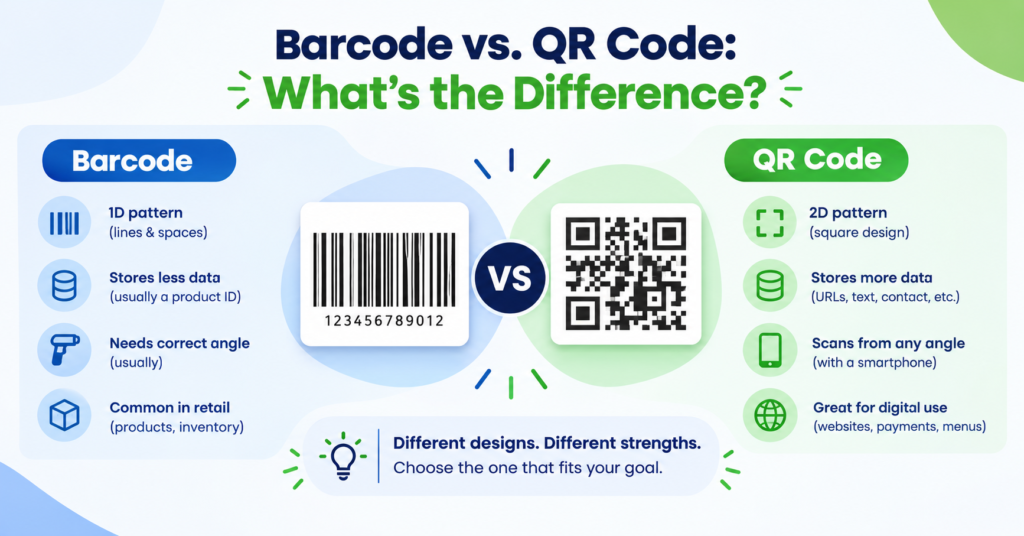
Barcode vs. QR Code: The Main Difference
The biggest difference is how they store information.
A traditional barcode stores data across one direction, while a QR code stores data across two dimensions.
Think of it this way:
Barcode: Information is mainly stored from left to right.
QR code: Information is stored across the whole square.
This gives QR codes more space to store information and makes them useful for modern digital tasks.
| Feature | Barcode | QR Code |
| Shape | Usually rectangular | Usually square |
| Data direction | One-dimensional | Two-dimensional |
| Data capacity | Lower | Higher |
| Smartphone use | Less common for direct links | Very common |
| Website links | Limited use | Common |
| Scanning direction | Usually needs correct positioning | Can be scanned from different angles |
| Common use | Products and inventory | Websites, payments, menus, contact details |
| Custom design | Usually limited | More design options |
1D Barcode vs. 2D QR Code
Not every barcode is the same.
1D Barcodes
A 1D barcode uses lines and spaces. Examples include common retail barcodes such as UPC and EAN.
They are mainly used to identify products or items.
For example:
A product has a barcode → the scanner reads it → the system finds the product in its database.
The barcode itself may not contain all the product information. Instead, it can act as an identifier that points to information stored somewhere else.
2D Codes
QR codes are part of the larger group of two-dimensional codes.
They can store information both horizontally and vertically. This allows them to hold more data in a relatively small space.
That is one reason QR codes have become useful for websites, digital menus, contact information, payments, and other smartphone-based experiences.
Which One Stores More Information?
In general, QR codes can store much more information than common 1D barcodes.
A traditional product barcode is often used for a short product identifier. A QR code can store different types of information, including text and web addresses.
For businesses, this can make QR codes more flexible.
For example, instead of only identifying a product, a QR code on packaging could take a customer to:
- Product instructions
- A product website
- A warranty page
- A video
- Customer support
- A special offer
This turns the printed code into a connection between a physical product and digital content.
How Are They Scanned?
Barcodes and QR codes can both be scanned using suitable scanning devices, but the scanning experience can be different.
Traditional retail barcodes are often scanned using dedicated barcode scanners. These scanners are common at checkout counters, warehouses, and stores.
QR codes are often scanned using smartphone cameras.
A person can point a phone at a QR code and receive a link or information without needing a special barcode scanner.
This is one of the biggest reasons QR codes are popular with consumers.
Why Are QR Codes Easier for Smartphone Users?
Most people already carry a smartphone.
This means a business can place a QR code on a poster, product, menu, package, or sign and give customers a quick way to access digital information.
For example:
Printed menu → QR code → digital menu
Poster → QR code → event page
Business card → QR code → contact information
Product package → QR code → product instructions
The customer does not have to type a long web address manually.
Barcode vs. QR Code for Businesses
The best choice depends on the job.
Choose a Barcode When You Need:
- Product identification
- Retail checkout
- Inventory tracking
- Warehouse management
- Simple item identification
- Existing barcode-based systems
Traditional barcodes are still extremely useful for these tasks.
Choose a QR Code When You Need:
- Website links
- Digital menus
- Contact details
- Location sharing
- Wi-Fi access
- Event information
- Payments
- Documents
- Marketing campaigns
- Multiple online links
QR codes are especially useful when you want people to take an action with their phone.
QR Codes Can Connect Offline and Online Content
One major advantage of QR codes is that they connect something physical to something digital.
Imagine a restaurant flyer.
A traditional barcode would not normally be the best choice if you want customers to visit your online menu.
A QR code can do this easily:
Flyer → Scan QR code → Open menu
The same idea works for posters, packaging, business cards, signs, brochures, and printed advertisements.
This makes QR codes useful for businesses that want to move customers from physical marketing to online content.
Can QR Codes Be Customized?
Yes. QR codes can often be customized without changing their basic purpose.
Depending on the QR code generator, you may be able to change:
- QR code colors
- Background
- Pattern style
- Eye style
- Logo
- Overall design
For example,QR DM provides customization options for its QR codes, along with formats such as SVG and transparent downloads that can be useful for different digital and print needs.
However, customization should not make the code difficult to scan. A QR code should always have enough contrast and should be tested before it is printed or shared.
Static vs. Dynamic QR Codes
Another important difference is not between barcodes and QR codes, but between static and dynamic QR codes.
A static QR code normally keeps the information directly in the code. If the destination changes, you usually need to create a new code.
A dynamic QR code can use a changeable destination. This can be useful for businesses that want to update their content without replacing the printed QR code.
For example, a restaurant could use a dynamic QR code on a sign and update the destination when its menu changes.
Some dynamic QR code services can also provide scan analytics, helping businesses understand how their codes are being used.
Related Article : Static QR Code vs. Dynamic QR Code: Which Should You Choose?
Are QR Codes Better Than Barcodes?
Not always.
It is better to think of them as tools for different jobs.
A barcode can be the better choice when you need simple product identification inside a retail or inventory system.
A QR code can be better when you want customers to interact with digital information using a smartphone.
For example:
Grocery checkout: Barcode
Restaurant digital menu: QR code
Warehouse tracking: Barcode
Business card: QR code
Product identification: Barcode
Website promotion: QR code
The right choice depends on the purpose.
Barcode vs. QR Code: Which Is Faster?
Both can be scanned very quickly when the right equipment is used.
The speed depends on the scanner, phone, code quality, lighting, distance, and other factors.
QR codes have an advantage in many everyday situations because smartphones can scan them directly. A person can scan the code and immediately open the related website or information.
For large retail systems, dedicated barcode scanners are still very efficient because they are designed specifically for fast product scanning.
Can a QR Code Replace a Barcode?
Sometimes, but not in every situation.
A QR code can replace a barcode when the goal is to give people access to digital information. However, traditional retail and inventory systems may still depend on standard barcode formats and equipment.
Businesses should choose the code that matches their system and goal rather than replacing one with the other simply because QR codes are newer.
In some cases, a product can even have both a barcode and a QR code.
The barcode can support product identification, while the QR code can provide customers with extra information.
Barcode vs. QR Code: Simple Example
Think about a bottle of shampoo.
A barcode could help a store:
- Identify the product
- Find its price
- Track inventory
- Complete a checkout
A QR code on the same bottle could help a customer:
- Read product instructions
- Visit the brand’s website
- Watch a product video
- Learn about ingredients
- Find customer support
Both codes can be useful, but they serve different purposes.
FAQs
1. What is the main difference between a barcode and a QR code?
A traditional barcode usually stores information in one dimension using lines and spaces. A QR code stores information in two dimensions using a square pattern, allowing it to hold more data and support many digital uses.
2. Is a QR code better than a barcode?
Neither is always better. Barcodes are excellent for product identification, retail, and inventory systems. QR codes are more useful when you want people to access websites, contact details, locations, payments, documents, or other digital information.
3. Can I scan a QR code with my phone?
Yes. Most modern smartphones can scan QR codes using the built-in camera. Point your camera at the code and follow the notification or link that appears.
4. Can a QR code contain more information than a barcode?
Yes. QR codes generally have a much higher data capacity than common 1D barcodes. They can store information such as URLs, text, contact details, and other data in a compact square pattern.
5. Can a product have both a barcode and a QR code?
Yes. A product can use a barcode for retail or inventory purposes and a QR code for customer-facing information such as product details, instructions, videos, or a website.
Conclusion
Barcodes and QR codes both make information easier for machines to read, but they are built for different needs. Traditional barcodes are widely used for products, checkout systems, and inventory tracking, while QR codes are better suited to connecting people with digital content. QR codes can store more information, work well with smartphones, and support many uses such as websites, payments, locations, documents, and contact details. The best choice depends on what you want the code to do. For simple product identification, a barcode may be the right option. For quick access to digital information, a QR code is often the better choice.
Ready to create your own QR code?
Put these strategies into practice. Generate clean, high-resolution static or dynamic QR codes in seconds with full design customization, vector export, and scan analytics.
Zain
Technical Writer & QR Specialist