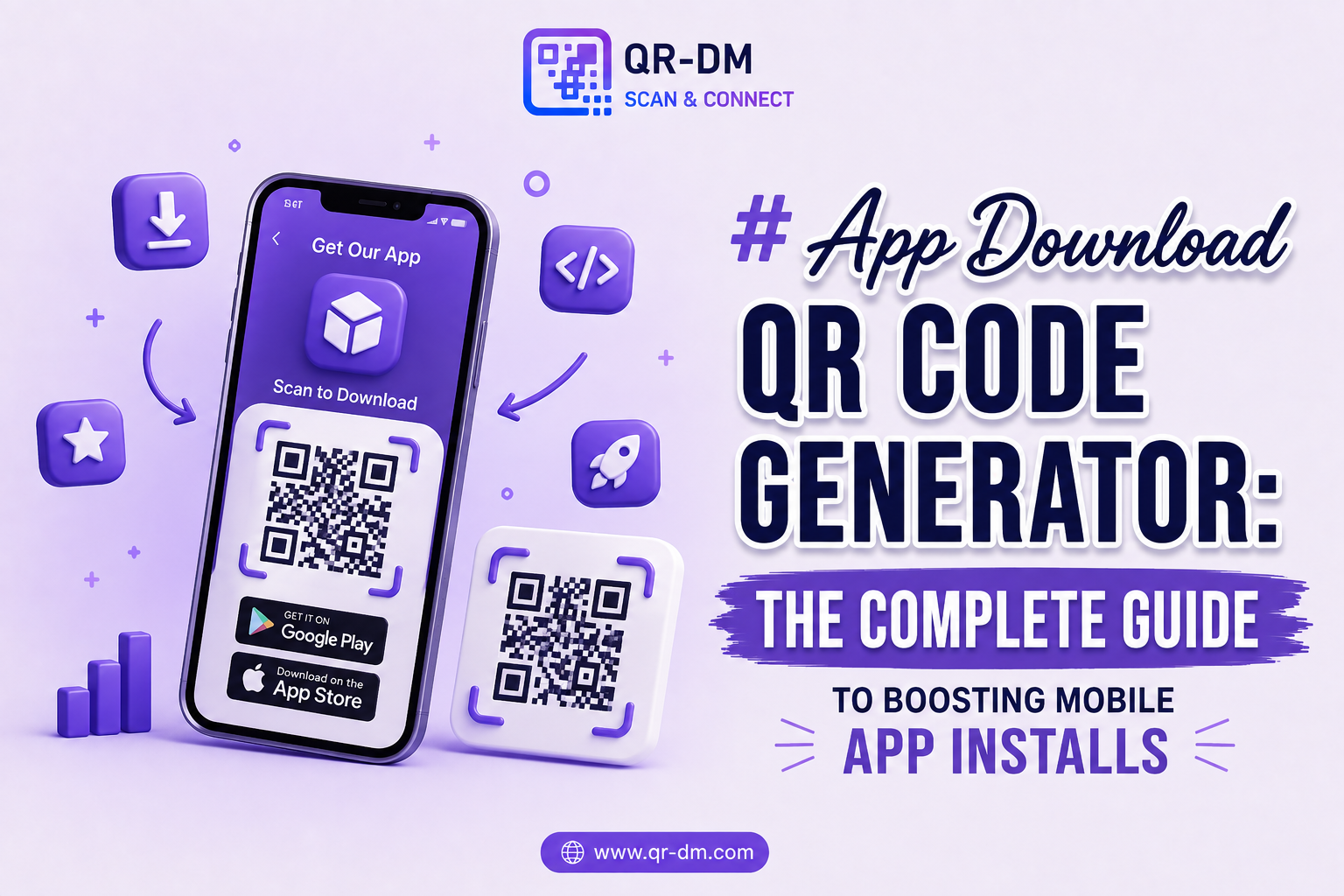
An App Link QR Code Generator helps businesses create QR codes that open a specific mobile application, app screen, deep link, or app content when scanned.
Instead of asking users to manually search for an app, navigate through multiple screens, or enter long URLs, an App Link QR Code provides direct access to the intended destination inside an application.
App Link QR Codes are commonly used by mobile app developers, SaaS companies, e-commerce brands, fintech platforms, educational apps, healthcare applications, gaming companies, and businesses that want to improve app engagement and user experience.
Dynamic QR Code functionality can also be available for App Link QR Codes. Dynamic QR Codes are a common feature that can be used across all QR types including URL, WiFi, Phone, SMS, Email, Business Card, Location, Text, Document, PDF, Payment, and Multi-Link QR Codes.
What is an App Link QR Code?
An App Link QR Code is a QR code that opens a specific application or deep links users to a particular section within an app.
Rather than sending users to a website, App Link QR Codes help users interact directly with mobile applications.
Examples include:
- Opening a product page inside an e-commerce app
- Launching a payment screen in a fintech app
- Opening a specific lesson in an educational app
- Displaying a loyalty rewards section
- Opening a support chat inside an application
- Launching a user profile page
How Does an App Link QR Code Work?
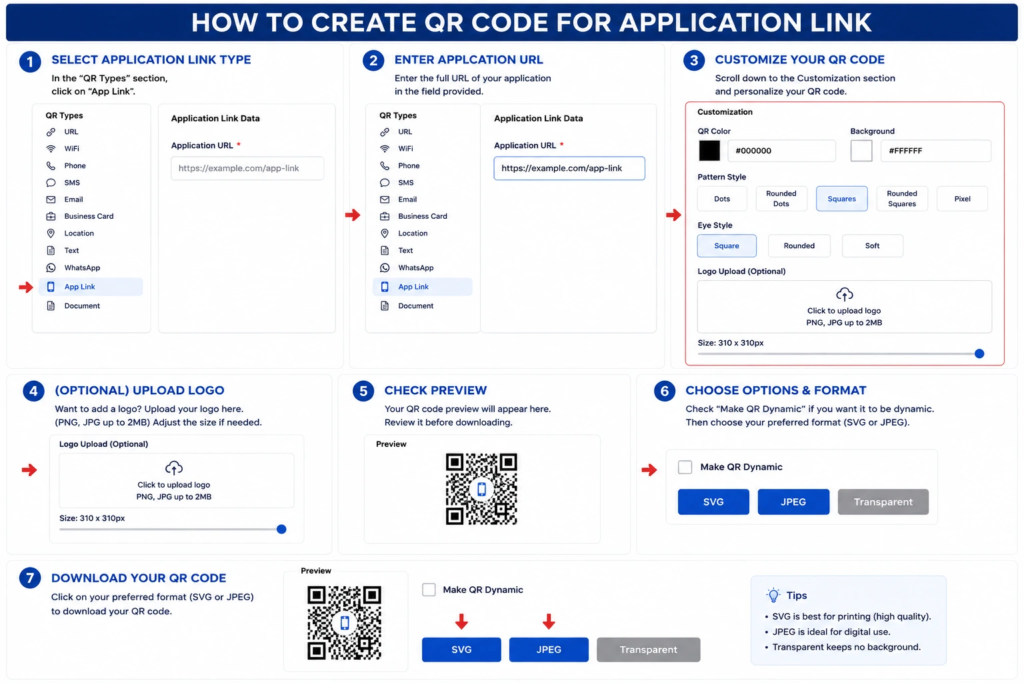
Step 1: Select the Application Link QR Type
- Open the QR code generator.
- In the QR Types section, click App Link.
Step 2: Enter the Application URL
- Enter the full URL of your application in the Application URL field.
- Make sure the URL is complete and valid (for example, https://example.com/app-link).
Step 3: Customize Your QR Code
- Scroll to the Customization section.
- Choose the QR code color.
- Select the background color.
- Pick a pattern style (Dots, Rounded Dots, Squares, Rounded Squares, or Pixel).
- Choose an eye style (Square, Rounded, or Soft).
Step 4: (Optional) Upload a Logo
- Click the Upload Logo area.
- Upload a PNG or JPG file (up to 2 MB).
- Adjust the logo size using the slider if needed.
Step 5: Check the Preview
- Review the QR code preview.
- Verify that the application link and design settings are correct.
Step 6: Choose Output Options
- (Optional) Enable Make QR Dynamic if you want a dynamic QR code.
- Select your preferred download format:
- SVG – Best for high-quality printing.
- JPEG – Best for websites, social media, and digital use.
- Transparent – Best for placing the QR code on different backgrounds.
Step 7: Download the QR Code
- Click your preferred format (SVG, JPEG, or Transparent) to download the QR code.
- Save the file and test it by scanning it with a smartphone to ensure it opens the correct application link.
Why App Link QR Codes Are Useful
Mobile apps often have multiple screens, products, services, and user journeys. App Link QR Codes simplify navigation and help users reach specific content faster.
This improves user experience, increases engagement, and reduces friction during customer interactions.
Key Benefits of Using an App Link QR Code Generator
1. Faster User Navigation
Users can reach specific app content instantly.
2. Improves App Engagement
Direct access encourages users to interact with app features more frequently.
3. Better User Experience
Reduces the number of steps required to access information.
4. Supports Deep Linking
Users can be directed to specific pages rather than the app homepage.
5. Useful for Marketing Campaigns
Promotions, offers, and campaigns can direct users to targeted app experiences.
6. Increases Conversion Rates
Removing unnecessary navigation can improve user actions and conversions.
7. Works Across Multiple Industries
E-commerce, fintech, education, healthcare, gaming, and SaaS platforms can all benefit.
Dynamic QR Code Feature for App Link QR Codes
What is a Dynamic QR Code?
A dynamic QR code can be managed, tracked, and updated after creation depending on the QR platform’s available features.
- Scan Analytics
- Campaign Tracking
- Device Insights
- Location Analytics
- Editable Destinations
- Centralized QR Management
Why Dynamic QR Codes Are Useful
App content, product pages, campaigns, and deep links may change over time. Dynamic QR functionality helps businesses update destinations without replacing printed QR codes.
Dynamic QR Codes for All QR Types
Dynamic QR functionality can be available across all QR categories including URL, WiFi, Phone, SMS, Email, WhatsApp, Business Card, Location, Text, App Link, App Download, Event, PDF, Document, Payment, Multi-Link, and vCard QR Codes.
App Link QR Code Use Cases
1. E-commerce Applications
Direct customers to product pages, categories, or promotional offers.
2. Fintech and Banking Apps
Open payment screens, account sections, or transaction pages.
3. Loyalty Programs
Allow customers to access rewards and membership benefits instantly.
4. Educational Apps
Direct students to courses, lessons, assignments, or learning resources.
5. Healthcare Applications
Open appointment booking, reports, prescriptions, or patient portals.
6. Event Applications
Provide direct access to schedules, tickets, and attendee information.
7. Food Delivery Apps
Launch restaurant menus or order pages directly.
8. SaaS Platforms
Guide users to specific features, onboarding flows, or dashboards.
9. Gaming Applications
Open promotions, rewards, or in-game events.
10. Customer Support
Launch support chat, help center, or ticket creation screens.
App Link QR Code vs Other QR Code Types
App Link QR Code vs App Download QR Code
An App Link QR Code opens an installed application, while an App Download QR Code helps users install an app.
App Link QR Code vs URL QR Code
A URL QR Code opens a webpage, while an App Link QR Code opens a mobile application.
App Link QR Code vs Multi-Link QR Code
A Multi-Link QR Code can provide multiple destinations, while an App Link QR Code focuses on app-specific navigation.
Best Practices for Creating an App Link QR Code
1. Use Valid Deep Links
Ensure app links function correctly across devices.
2. Add a Clear Call to Action
- Scan to Open the App
- Open Product in App
- Launch App Experience
- Access Exclusive Features
3. Test Across Platforms
Verify functionality on Android and iOS devices.
4. Use Dynamic QR Features
Dynamic QR functionality can simplify future updates and campaign tracking.
5. Optimize User Experience
Direct users to the most relevant screen inside the application.
Where Can You Place an App Link QR Code?
- Product Packaging
- Marketing Campaigns
- Store Displays
- Advertisements
- Email Campaigns
- Brochures
- Event Materials
- Business Cards
- Posters
- Customer Onboarding Guides
Industries That Can Use App Link QR Codes
- E-commerce
- Fintech
- Healthcare
- Education
- Gaming
- SaaS
- Hospitality
- Retail
- Events
- Technology Companies
FAQs
What is an App Link QR Code?
An App Link QR Code opens a mobile application or a specific app screen when scanned.
What is an App Link QR Code Generator?
It is a tool used to create QR codes that connect users directly to app experiences.
Can App Link QR Codes support deep linking?
Yes. They can direct users to specific sections within an application.
Can App Link QR Codes be dynamic?
Yes. Dynamic QR functionality may provide analytics, tracking, and destination management capabilities depending on the platform.
Who should use App Link QR Codes?
App developers, SaaS companies, retailers, fintech platforms, educational providers, and businesses with mobile applications.
Conclusion
An App Link QR Code Generator is a powerful solution for connecting users directly to mobile app experiences.
By reducing navigation steps and supporting deep linking, App Link QR Codes improve user engagement, increase conversions, and create a smoother customer journey.
Combined with Dynamic QR Code functionality, App Link QR Codes become an essential tool for businesses that want to maximize the value of their mobile applications.
Ready to create your own QR code?
Put these strategies into practice. Generate clean, high-resolution static or dynamic QR codes in seconds with full design customization, vector export, and scan analytics.
Zain
Technical Writer & QR Specialist