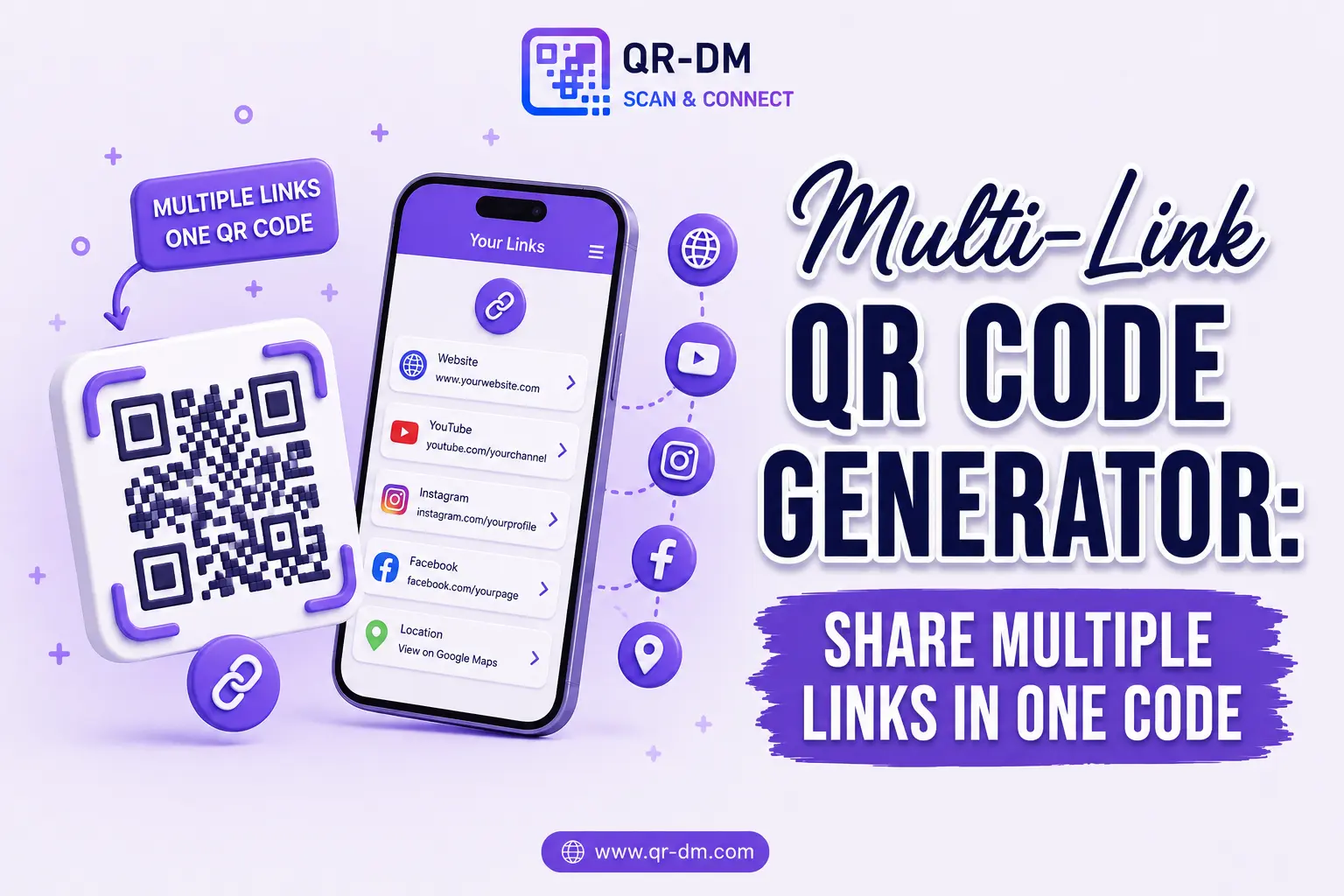
A Multi-Link QR Code Generator lets you create a single QR code that opens onto several destinations instead of just one. Scan it, and instead of jumping straight to a single website, users land on a page that presents multiple options — a website, a social profile, a menu, a booking link — and pick whichever one is relevant to them.
This makes Multi-Link QR Codes especially valuable for businesses, creators, influencers, marketers, restaurants, agencies, e-commerce brands, educational institutions, event organizers, and professionals who juggle several online destinations and don’t want to print a separate QR code for each one.
Instead of cluttering a table card, poster, or business card with five different QR codes, a Multi-Link QR Code consolidates everything into one clean, scannable, and easy-to-navigate experience.
Dynamic QR Code functionality can also be applied to Multi-Link QR Codes, just as it can with other QR types, including URL, WiFi, Phone, SMS, Email, Business Card, Location, Text, WhatsApp, Document, PDF, Event QR, App Link, App Download, and Payment QR Codes.
What is a Multi-Link QR Code?
A Multi-Link QR Code is a QR code that directs users to a customizable landing page containing several links and actions, rather than a single website.
Common destinations bundled into a Multi-Link page include:
- Website links
- Social media profiles
- WhatsApp chat
- Phone numbers
- Email addresses
- Online stores
- Payment pages
- PDF documents
- Booking systems
- Mobile apps
How Does a Multi-Link QR Code Work?
Setting one up takes only a few steps:
- Add multiple destinations to your Multi-Link page.
- Generate the Multi-Link QR Code.
- Print it or share it digitally.
- A user scans the QR code.
- A landing page with multiple options appears on their screen.
- They select whichever action is relevant to them.
Why Multi-Link QR Codes Are Useful
Modern businesses rarely have just one thing to share. A restaurant needs a menu, a booking link, and delivery options. A creator needs their Instagram, YouTube, and store. An event needs registration, a schedule, and a venue map.
Instead of overwhelming people with a wall of separate QR codes — or forcing them to pick just one link to promote — a Multi-Link QR Code provides a single, centralized destination. That creates a cleaner physical layout on printed materials and a simpler, less confusing experience for the person scanning.
Key Benefits of Using a Multi-Link QR Code Generator
1. One QR Code for Multiple Actions
Share several destinations — website, social, contact, payment — from a single printed or digital QR code, instead of managing and placing many.
2. Better User Experience
Users aren’t forced down one path. They see their options and choose the one that’s actually relevant to them in that moment.
3. Cleaner Marketing Materials
Business cards, table cards, posters, and packaging stay visually clean, with one QR code instead of a cluttered row of them.
4. Increases Engagement
By surfacing websites, social channels, contact methods, and documents together, a Multi-Link page gives people more reasons and more ways to engage.
5. Flexible Marketing Solution
Campaigns that involve multiple customer journeys — browse, follow, book, buy — can be supported from a single code rather than fragmented across several.
6. Supports Cross-Channel Marketing
Websites, apps, social media, and communication channels can all sit behind the same scan, tying your marketing channels together.
7. Easy to Update
Links can be added, removed, or reorganized as your business or campaign evolves, without needing an entirely new QR code each time.
Related: URL QR Code Guide: Features, Benefits & Real-World Uses
Dynamic QR Code Feature for Multi-Link QR Codes
What is a Dynamic QR Code?
A dynamic QR code can be managed, updated, and tracked after it’s already been printed or shared, depending on the features supported by the QR platform. That ongoing flexibility is especially valuable for a Multi-Link QR Code, since the whole point is to keep multiple destinations current.
Dynamic QR Code features for Multi-Link QR Codes may include:
- Scan analytics
- Campaign tracking
- Location insights
- Device analytics
- Editable links
- Centralized QR management from a dashboard
Why Dynamic QR Codes Are Useful
Marketing campaigns evolve constantly — new promotions launch, social handles change, booking systems get replaced. Dynamic QR functionality allows businesses to update links, promotions, products, and destinations behind the same printed QR code, instead of reprinting materials every time something changes.
Dynamic QR Codes for All QR Types
Dynamic QR functionality isn’t exclusive to Multi-Link QR Codes — it can be treated as a shared feature across QR categories including URL, WiFi, Phone, SMS, Email, WhatsApp, Business Card, Location, Text, PDF, Document, Event, App Link, App Download, Payment, and vCard QR Codes.
Multi-Link QR Code Use Cases
1. Social Media Profiles
Share Instagram, Facebook, LinkedIn, YouTube, and X profiles from one QR code instead of five separate ones.
2. Business Contact Hub
Provide phone, email, WhatsApp, website, and location links so people can reach you however they prefer.
3. E-commerce Brands
Share product catalogs, online stores, support pages, and current promotions in one place.
4. Influencers and Creators
Connect an audience to every content platform, brand deal, or storefront through a single scan.
5. Restaurants
Provide menus, reservations, delivery links, and contact information from one table card.
6. Event Organizers
Share registration links, schedules, venue maps, and social channels from a single badge or banner.
7. Real Estate Professionals
Link property listings, brochures, contact information, and appointment forms from a yard sign or flyer.
8. Educational Institutions
Provide admissions info, course details, support resources, and contact details from one campus poster.
9. Agencies and Consultants
Share portfolios, booking links, testimonials, and contact options from a business card or proposal.
10. Product Packaging
Connect customers to manuals, support, how-to videos, and warranty information after purchase.
Multi-Link QR Code vs Other QR Code Types
Multi-Link QR Code vs URL QR Code
A URL QR Code opens a single destination. A Multi-Link QR Code presents several options for the user to choose from.
Multi-Link QR Code vs Business Card QR Code
A Business Card QR Code focuses narrowly on contact details. A Multi-Link QR Code supports broader marketing and engagement goals beyond just contact info.
Multi-Link QR Code vs App Download QR Code
An App Download QR Code focuses on getting an app installed. A Multi-Link QR Code can include an app download link alongside other destinations, not instead of them.
Multi-Link QR Code vs Payment QR Code
A Payment QR Code focuses on completing a transaction. A Multi-Link QR Code can combine a payment option with other actions like browsing, booking, or contacting you.
Best Practices for Creating a Multi-Link QR Code
1. Prioritize Important Links
Place your most valuable or most-used destinations at the top of the list, where people will see them first.
2. Keep Navigation Simple
Avoid overwhelming users with too many options — a focused list converts better than an exhaustive one.
3. Use Clear Labels
Make it obvious what each link does before someone taps it, so they aren’t guessing.
4. Use a Clear Call to Action
Tell people what scanning will get them:
- Scan to Explore More
- Access All Our Links
- Connect With Us
- View All Resources
5. Use Dynamic QR Features
Track performance and update links as campaigns, promotions, or business details change.
Where Can You Place a Multi-Link QR Code?
- Business cards
- Product packaging
- Store displays
- Brochures
- Flyers
- Trade show booths
- Event materials
- Advertisements
- Email signatures
- Social media profiles
- Invoices
- Restaurant menus
Industries That Can Use Multi-Link QR Codes
- Retail
- E-commerce
- Hospitality
- Restaurants
- Education
- Healthcare
- Real estate
- Marketing agencies
- Events and conferences
- Professional services
FAQs
What is a Multi-Link QR Code?
A Multi-Link QR Code provides multiple destinations through a single QR code, so users can choose the option that fits them.
What is a Multi-Link QR Code Generator?
It’s a tool used to create QR codes that open onto a page containing multiple links and actions rather than a single destination.
How many links can I add?
The exact number depends on the platform, but Multi-Link QR Codes are designed to support several destinations at once.
Can Multi-Link QR Codes be dynamic?
Yes. Dynamic QR functionality may provide analytics, tracking, and editable destination management, depending on the platform.
Who should use Multi-Link QR Codes?
Businesses, creators, marketers, agencies, educators, retailers, and professionals who need to share multiple resources efficiently from one code.
Conclusion
A Multi-Link QR Code Generator is one of the most versatile QR code solutions available today.
By combining multiple destinations into a single QR code, businesses can simplify customer journeys, improve engagement, and run more effective marketing campaigns without cluttering their materials.
Combined with Dynamic QR Code functionality, Multi-Link QR Codes become a lasting tool for centralizing content, tracking performance, and delivering a better experience to everyone who scans — one code, placed once, that keeps working as your links change.
Ready to create your own QR code?
Put these strategies into practice. Generate clean, high-resolution static or dynamic QR codes in seconds with full design customization, vector export, and scan analytics.
Zain
Technical Writer & QR Specialist