A Document QR Code Generator helps businesses and individuals share documents instantly through a simple QR code scan.
Instead of sending files through email, messaging apps, or downloading from multiple sources, users can scan a QR code and access the document immediately. This makes information sharing faster, more convenient, and highly scalable.
Document QR Codes are widely used by businesses, educational institutions, healthcare providers, real estate companies, government organizations, consultants, event organizers, manufacturers, and service providers.
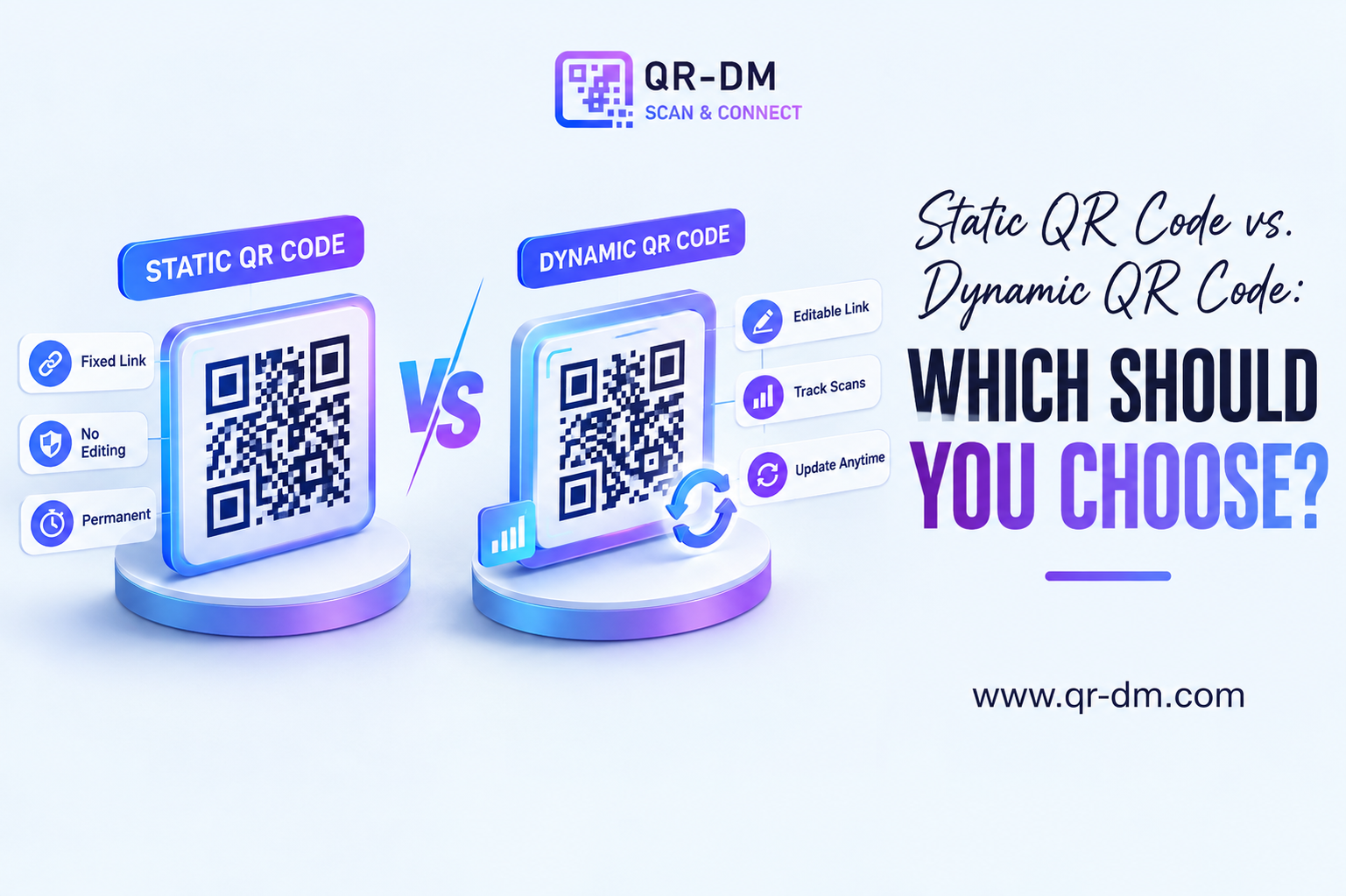
Dynamic QR Code functionality can also be available for Document QR Codes. Dynamic QR Codes are a common feature that can be used across all QR types including URL, WiFi, Phone, SMS, Email, Business Card, Location, Text, WhatsApp, PDF, Payment, and Multi-Link QR Codes.
What is a Document QR Code?
A Document QR Code is a QR code that links directly to a document file. When users scan the QR code, they can instantly view, download, or access the document from their smartphone, tablet, or computer.
Supported document types may include:
- Word Documents (DOC, DOCX)
- PDF Files
- PowerPoint Presentations
- Excel Spreadsheets
- Reports and Manuals
- Product Catalogs
- Brochures
- Contracts and Agreements
How Does a Document QR Code Work?
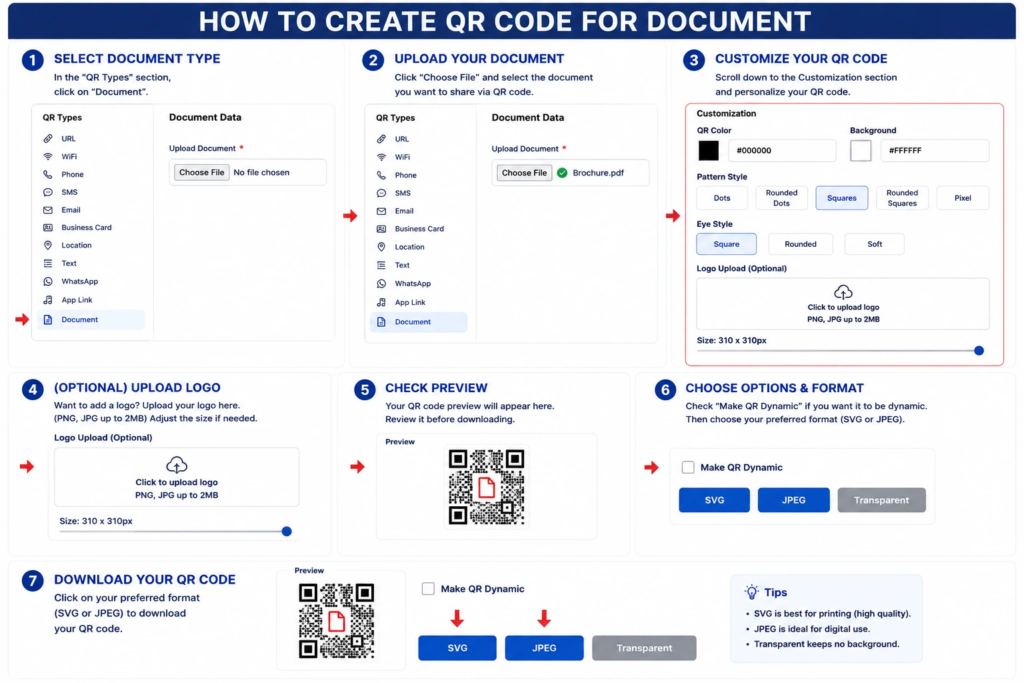
Step 1: Select the Document QR Type
- Open the QR code generator.
- In the QR Types section, click Document.
Step 2: Upload Your Document
- Click Choose File.
- Select the document you want to share using the QR code.
- Wait for the file to upload successfully before continuing.
Step 3: Customize Your QR Code
- Scroll to the Customization section.
- Choose the QR code color.
- Select the background color.
- Pick a pattern style (Dots, Rounded Dots, Squares, Rounded Squares, or Pixel).
- Choose an eye style (Square, Rounded, or Soft).
Step 4: (Optional) Upload a Logo
- Click the Upload Logo area.
- Upload a PNG or JPG file (up to 2 MB).
- Adjust the logo size using the slider if needed.
Step 5: Check the Preview
- Review the QR code preview.
- Verify that the uploaded document and design settings are correct.
Step 6: Choose Output Options
- (Optional) Enable Make QR Dynamic if you want a dynamic QR code.
- Select your preferred download format:
- SVG – Best for high-quality printing.
- JPEG – Best for websites, social media, and digital use.
- Transparent – Best for placing the QR code on different backgrounds.
Step 7: Download the QR Code
- Click your preferred format (SVG, JPEG, or Transparent) to download the QR code.
- Save the file and test it by scanning it with a smartphone to ensure the document opens correctly.
Why Document QR Codes Are Useful
Traditional document sharing often requires sending attachments, sharing download links, or printing physical copies. A Document QR Code simplifies this process by giving users immediate access to the latest document version.
This improves accessibility, reduces printing costs, and makes document distribution more efficient.
Key Benefits of Using a Document QR Code Generator
1. Instant Access to Documents
Users can access files immediately without manually entering URLs.
2. Reduces Printing Costs
Share digital documents instead of printing large volumes of paper copies.
3. Easy Information Distribution
Distribute brochures, reports, manuals, and guides efficiently.
4. Better User Experience
Users can access information directly from their devices.
5. Supports Large Files
Useful for sharing documents that are difficult to distribute physically.
6. Environmentally Friendly
Reduces paper usage and printing waste.
7. Improves Marketing and Communication
Businesses can share catalogs, presentations, and product information instantly.
Dynamic QR Code Feature for Document QR Codes
What is a Dynamic QR Code?
A dynamic QR code can be managed, tracked, and updated after creation depending on the QR platform’s available features.
Dynamic QR Code features may include:
- Scan Analytics
- Campaign Tracking
- Device Insights
- Location Analytics
- Editable Document Links
- Centralized QR Management
Why Dynamic QR Codes Are Useful
Documents often require updates. Product catalogs, brochures, contracts, menus, reports, and manuals may change over time. Dynamic QR functionality allows businesses to update document destinations without replacing existing QR codes.
Dynamic QR Codes for All QR Types
Dynamic QR functionality can be available across all QR categories including URL, WiFi, Phone, SMS, Email, WhatsApp, Business Card, Location, Text, Document, PDF, Event, App Download, App Link, Payment, Multi-Link, and vCard QR Codes.
Document QR Code Use Cases
1. Product Catalogs
Share digital catalogs with customers instantly.
2. User Manuals
Provide product instructions and setup guides.
3. Business Brochures
Distribute marketing materials without printing large quantities.
4. Real Estate Documents
Share property brochures, floor plans, and project information.
5. Educational Materials
Provide study guides, notes, assignments, and learning resources.
6. Healthcare Documents
Share patient information, reports, and instructions.
7. Event Resources
Distribute schedules, presentations, and attendee guides.
8. Employee Documentation
Provide HR policies, onboarding materials, and internal resources.
9. Restaurant Menus
Offer digital menus and promotional documents.
10. Compliance and Regulatory Documents
Provide certifications, safety guidelines, and legal information.
Document QR Code vs Other QR Code Types
Document QR Code vs PDF QR Code
A PDF QR Code focuses specifically on PDF files, while a Document QR Code can support multiple document formats.
Document QR Code vs URL QR Code
A URL QR Code opens a webpage, while a Document QR Code opens a specific document.
Document QR Code vs Text QR Code
A Text QR Code displays short text directly, while a Document QR Code shares larger files and documents.
Document QR Code vs Multi-Link QR Code
A Multi-Link QR Code can share multiple resources, while a Document QR Code focuses on a specific document.
Best Practices for Creating a Document QR Code
1. Upload the Latest Version
Ensure users always access current information.
2. Optimize Documents for Mobile Devices
Most scans occur on smartphones, so readability is important.
3. Use a Clear Call to Action
- Scan to View Brochure
- Scan to Download Document
- Scan to Access Manual
- Scan to View Product Catalog
4. Test Before Publishing
Verify document accessibility across different devices.
5. Use Dynamic QR Features
Dynamic QR functionality helps manage updates and analytics efficiently.
Where Can You Place a Document QR Code?
- Product Packaging
- Brochures
- Business Cards
- Flyers
- Posters
- Trade Show Booths
- Event Materials
- Invoices
- Warranty Cards
- Store Displays
- Marketing Campaigns
- Training Materials
Industries That Can Use Document QR Codes
- Retail
- Manufacturing
- Healthcare
- Education
- Real Estate
- Hospitality
- Events
- Technology
- Government
- Professional Services
FAQs
What is a Document QR Code?
A Document QR Code provides instant access to a digital document when scanned.
What is a Document QR Code Generator?
It is a tool used to create QR codes that link directly to documents and files.
What file types can be shared?
Documents such as DOC, DOCX, PDF, PPT, XLS, brochures, reports, manuals, and catalogs.
Can Document QR Codes be dynamic?
Yes. Dynamic QR functionality may provide analytics, tracking, and document management features depending on the platform.
Who should use Document QR Codes?
Businesses, educators, healthcare providers, manufacturers, event organizers, and service providers.
Conclusion
A Document QR Code Generator is an efficient solution for sharing digital documents instantly and securely.
Whether you are distributing brochures, manuals, reports, catalogs, presentations, or educational resources, Document QR Codes simplify access while reducing printing costs and improving user experience.
Combined with Dynamic QR Code functionality, Document QR Codes become a powerful tool for modern document distribution, business communication, and information management.
Ready to create your own QR code?
Put these strategies into practice. Generate clean, high-resolution static or dynamic QR codes in seconds with full design customization, vector export, and scan analytics.
Zain
Technical Writer & QR Specialist